Real products · figures
Photo → AI 3D · JPG · PNG
Builds a 3D mesh from a real photo and continues straight to quote and order.
- Ease of start
- Accuracy
- 3D depth
Photo to 3D
No 3D file? Turn product photos (JPG/PNG) into an AI 3D model, then auto-quote and order prints on WOW3D in one flow.
See print prices from a photo — no modeling.
Turn a concept into 3D quickly.
See size and shape in the real world.
Turn an object in a real photo into a print.
Process
Choose “I don’t have a 3D model” in auto-quote and upload a photo — the AI-generated STL flows straight into the quote.
Start here · I only have a photo
STEP 1
Upload a front product photo (JPG/PNG).
Output
Product photo
STEP 2
Right, back, and left photos can improve shape accuracy.
Output
Multi-view set
STEP 3
AI builds a 3D mesh (STL) and shows it in the viewer.
Output
STL model
STEP 4
Pick process and material for the model and order.
Output
Print order
Which Path
Photo → AI 3D is great for form; upload a 3D file when exact dimensions matter.
Builds a 3D mesh from a real photo and continues straight to quote and order.
Extrudes flat logos and sketches into shapes with depth.
For fit tolerances and exact dimensions, upload a 3D file.
Bars compare general tendencies; results vary with photo quality and shape.
Upload a photo → AI 3D model → auto-quote and print, all in one WOW3D flow.
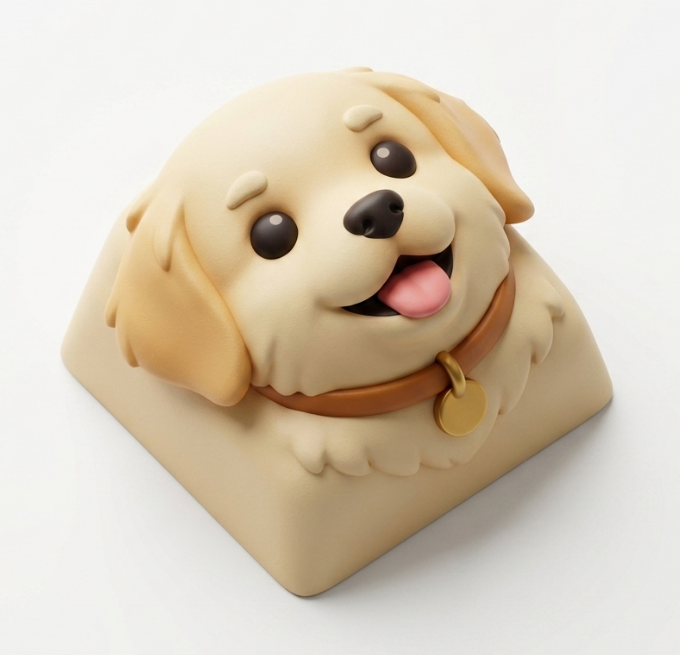
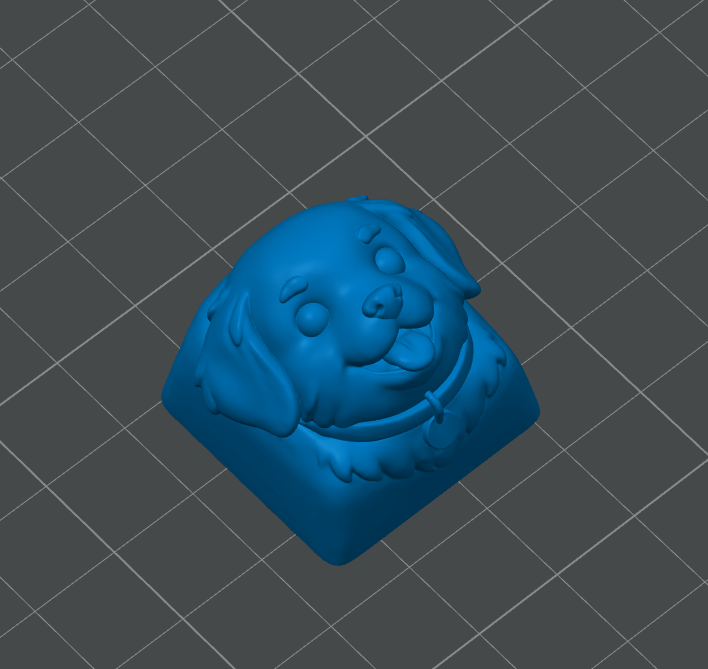
단색 배경 캐릭터 사진에서 입체 메시를 생성한 뒤 SLA/DLP로 키캡·피규어 외관 시제품을 출력하는 흐름 예시입니다.
SLA · Standard Resin
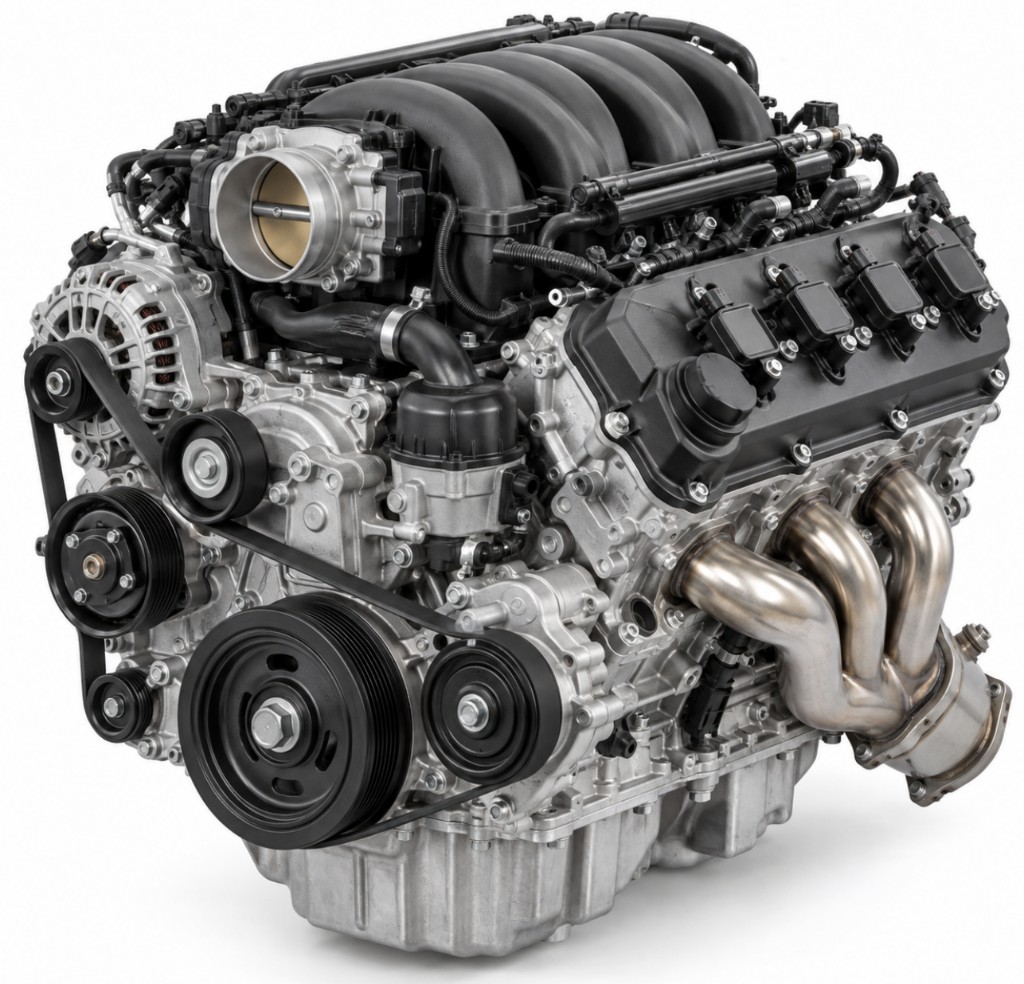
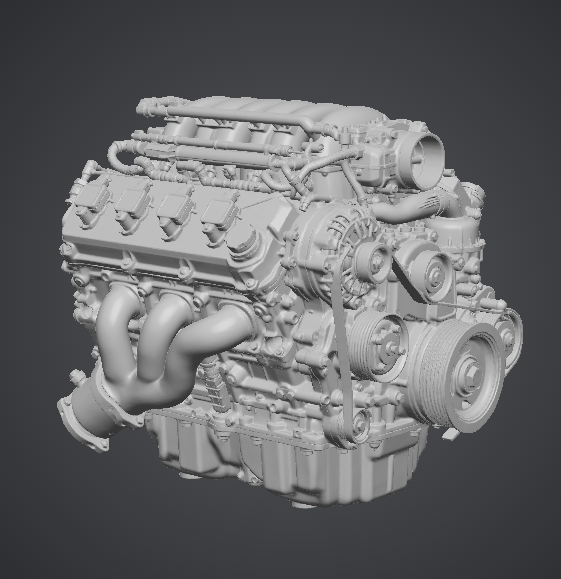
실물·레퍼런스 사진으로 형상을 빠르게 확인하고 FDM 견적·출력까지 이어지는 사례 유형입니다.
FDM · PLA
Photo Checklist
Follow these four tips when shooting and results become far more consistent.
Fill the frame with the object, centered.
Fill the frame
Shoot against a bright single-color background.
Keep it simple
Hard shadows and glare can distort the shape.
Soft lighting
Right, back, and left photos can improve accuracy.
Multi-view
Yes. Upload JPG/PNG product photos and AI builds a 3D STL, then continues to auto-quote and print ordering.
Yes. On auto-quote choose “I don’t have a 3D model”, upload product photos, and AI creates an STL before quoting.
Large centered subjects, plain bright backgrounds, and low shadow/reflection. Extra right/back/left views can improve accuracy.
Maker is for sketch/logo 2.5D extrusion. Photo → AI 3D builds a mesh from real photos and goes straight to print quote/order. Dimensioned mechanical parts fit text → AI CAD Studio better.
Good for form checks and prototype validation. For assembly tolerances and exact dimensions, upload STL or STEP — or describe dimensions in text → AI CAD to get STEP/STL, then quote.