Real products · figures
Photo → AI 3D · JPG · PNG
Builds a 3D mesh from a real photo and continues straight to quote and order.
- Ease of start
- Accuracy
- 3D depth
Photo to 3D
No 3D file? Turn product photos (JPG/PNG) into an AI 3D model, then auto-quote and order prints on WOW3D in one flow.
Quick answer
Upload a JPG or PNG product photo and AI builds a 3D STL that flows straight into the 3D viewer, instant quote and order. It’s available once a day for signed-in members (Korea time), extra right, back and left views improve accuracy, and parts that need assembly tolerances or precise dimensions should be uploaded as STL or STEP.
See print prices from a photo — no modeling.
Turn a concept into 3D quickly.
See size and shape in the real world.
Turn an object in a real photo into a print.
Process
Choose “I don’t have a 3D model” in auto-quote and upload a photo — the AI-generated STL flows straight into the quote.
Start here · I only have a photo
STEP 1
Upload a front product photo (JPG/PNG).
Output
Product photo
STEP 2
Right, back, and left photos can improve shape accuracy.
Output
Multi-view set
STEP 3
AI builds a 3D mesh (STL) and shows it in the viewer.
Output
STL model
STEP 4
Pick process and material for the model and order.
Output
Print order
Which Path
Photo → AI 3D is great for form; upload a 3D file when exact dimensions matter.
Builds a 3D mesh from a real photo and continues straight to quote and order.
Extrudes flat logos and sketches into shapes with depth.
For fit tolerances and exact dimensions, upload a 3D file.
Bars compare general tendencies; results vary with photo quality and shape.
Upload a photo → AI 3D model → auto-quote and print, all in one WOW3D flow.
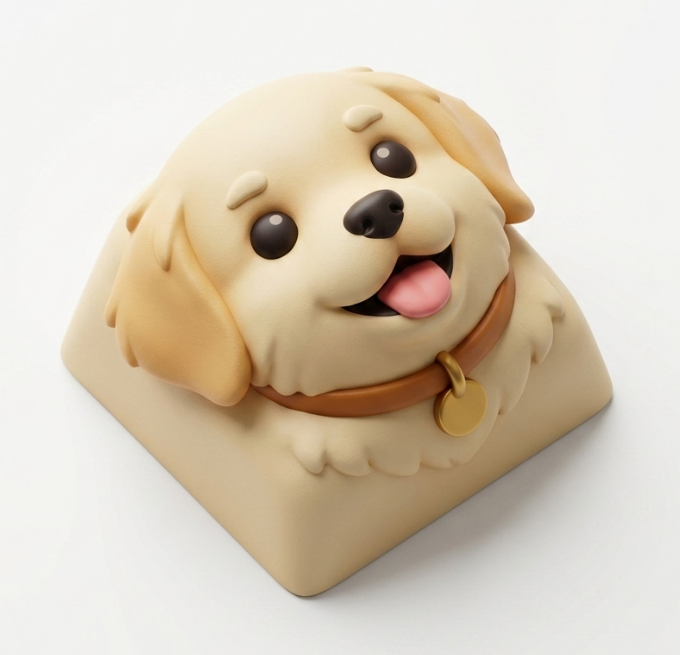
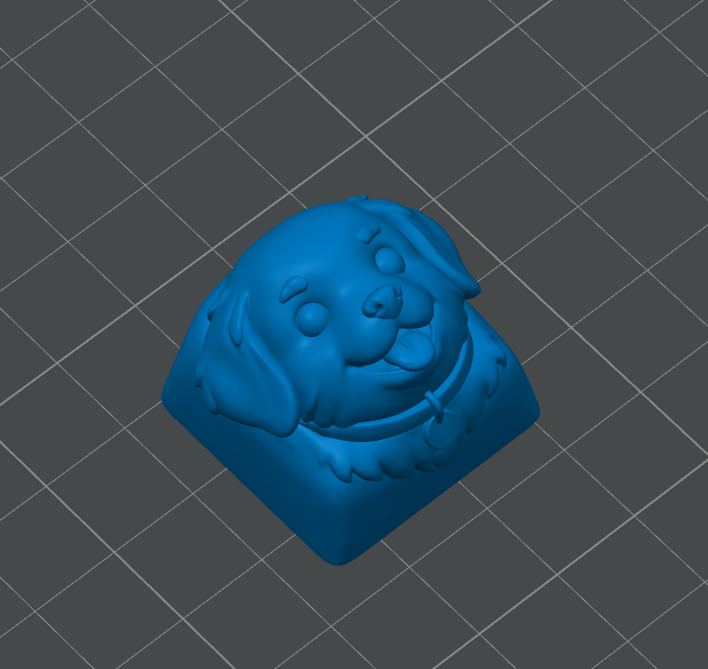
단색 배경 캐릭터 사진에서 입체 메시를 생성한 뒤 SLA/DLP로 키캡·피규어 외관 시제품을 출력하는 흐름 예시입니다.
SLA · Standard Resin
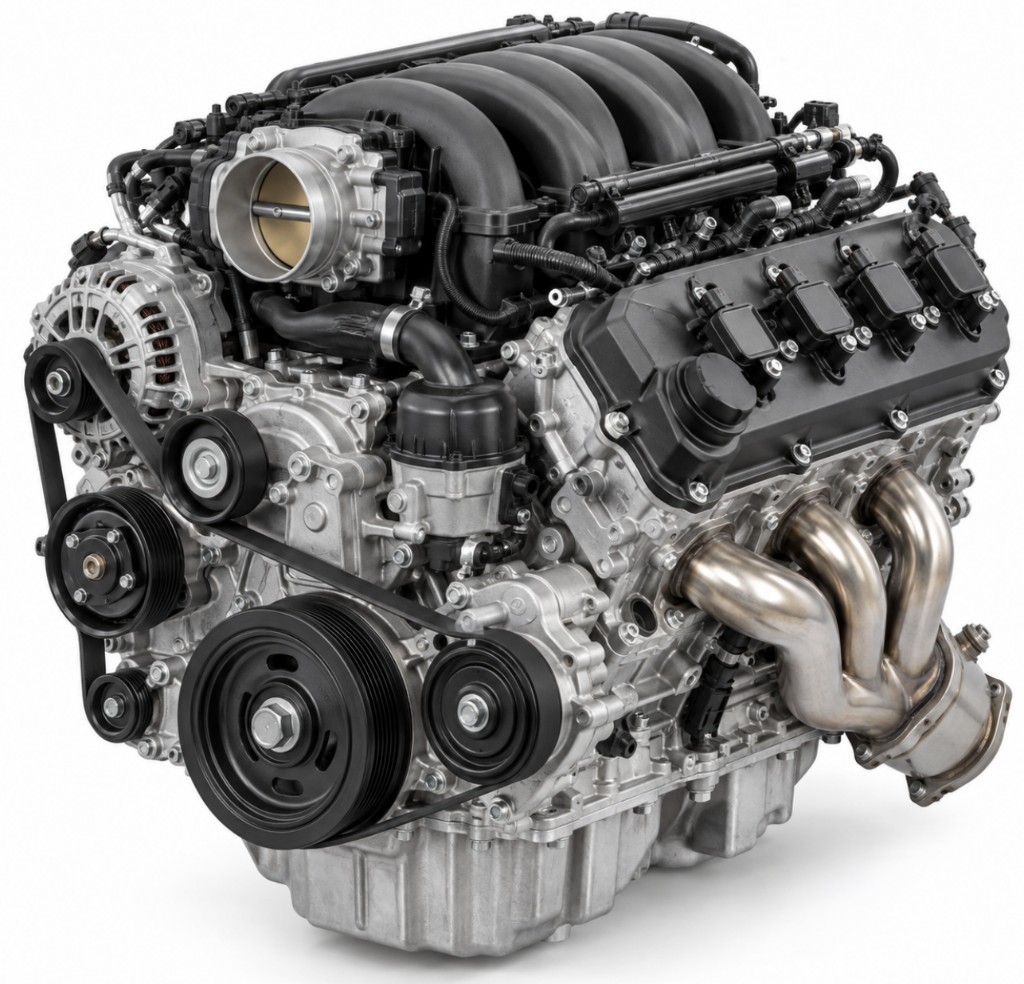
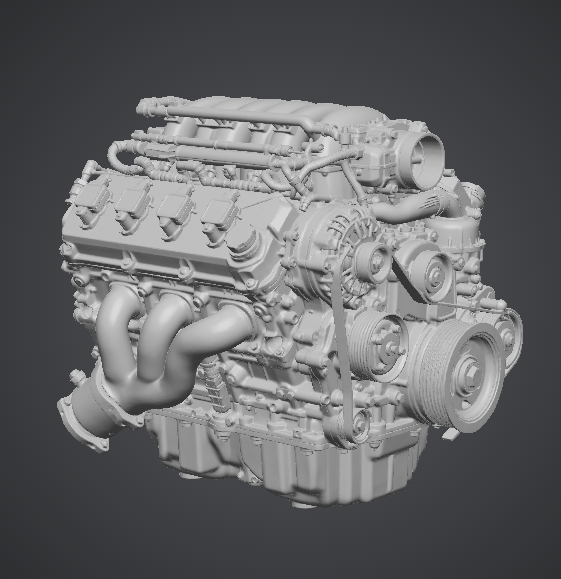
실물·레퍼런스 사진으로 형상을 빠르게 확인하고 FDM 견적·출력까지 이어지는 사례 유형입니다.
FDM · PLA
Photo Checklist
Follow these four tips when shooting and results become far more consistent.
Fill the frame with the object, centered.
Fill the frame
Shoot against a bright single-color background.
Keep it simple
Hard shadows and glare can distort the shape.
Soft lighting
Right, back, and left photos can improve accuracy.
Multi-view
Yes. Upload JPG/PNG product photos and AI builds a 3D STL, then continues to auto-quote and print ordering.
Yes. On auto-quote choose “I don’t have a 3D model”, upload product photos, and AI creates an STL before quoting.
Large centered subjects, plain bright backgrounds, and low shadow/reflection. Extra right/back/left views can improve accuracy.
Maker is for sketch/logo 2.5D extrusion. Photo → AI 3D builds a mesh from real photos and goes straight to print quote/order.
Good for form checks and prototype validation. For assembly tolerances and exact dimensions, upload STL or STEP instead.